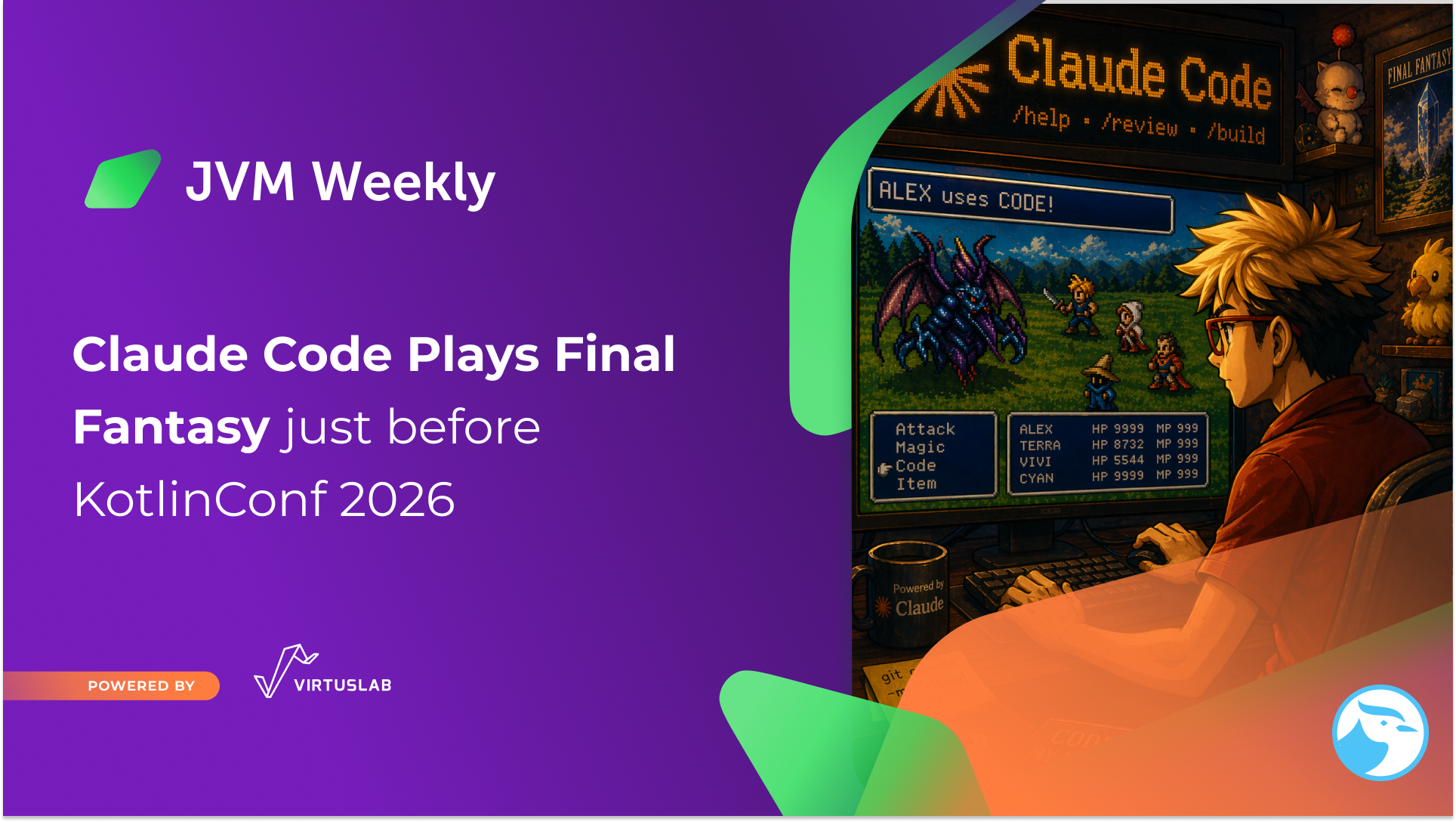
KotlinConf 2026 is right around the corner - May 20–22, Munich, ICM Messe. JVM Weekly once again has the pleasure of being a media partner for the event, and on that occasion I decided to do something I don’t usually do in this newsletter: write about my own project.
A year ago I had the chance to stand on stage in Copenhagen with a talk called “Build your own NES Emulator... with Kotlin“. kNES - my Kotlin NES emulator - had been living quietly on GitHub ever since.
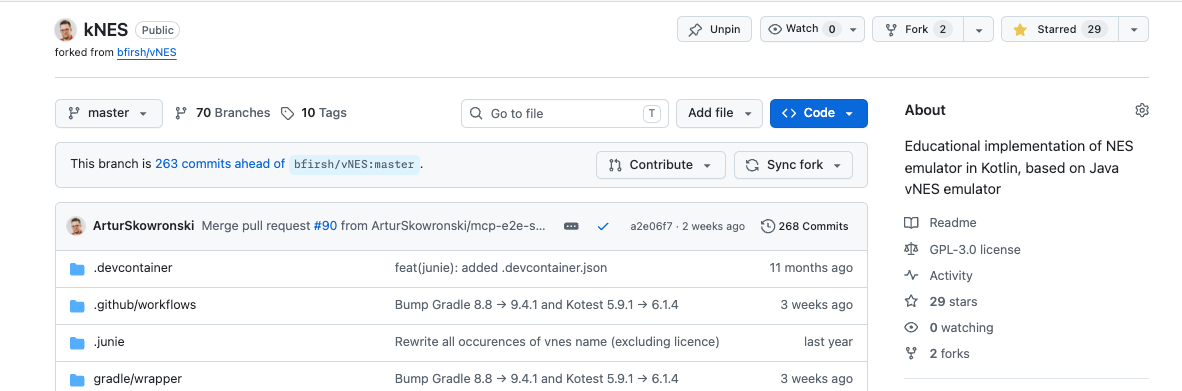
Then it stopped being quiet. Because doing stuff these days is… easier. First I wanted to play with JoyCons instead of a keyboard, then I wanted to expose a REST API, then add MCP, and then Claude picked up the controller and started playing Final Fantasy 1. Each new layer was a single evening of work - because one small interface turned out to be enough for all of them.
Not even starting about having fun with NES in terminal.
With KotlinConf approaching, I figured it’s time to share what happened over the past year - especially since I’ve had some rather interesting journey 😁
I’m not speaking this year on conference, but I’m going to attend as JVM Weekly once again has opportunity to be a media partner of the event, so at the end - so at the end - five talks from this year’s agenda that I personally plan to attend.
A Year After KotlinConf: How JoyCons in a Hotel Room Started an Avalanche
For those who didn’t see the talk: kNES is a NES emulator written in pure Kotlin - 6502 CPU, PPU, controllers, frame timing. Compose Desktop as the UI (probably worst UI you have ever seen, shame on my but it was never that important in that project), multi-module Gradle, zero native dependencies. A side-project that started during the pandemic as an exercise in low-level Kotlin and sealed classes, and at KotlinConf 2025 ended with a live demo of Super Mario Bros on stage.
After the conference, one question stuck with me - one I didn’t have time to properly answer from the stage: “OK, cool side-project, but what’s next?”
The answer started a few months later, at Kotlin Dev Days. Hotel room, evening, beer, an idea: “I’ll add JoyCon support.” JInput, polling on a separate thread, mapping axes and buttons - the usual. But to add gamepad support without gutting the entire CPU and PPU, I first had to refactor how the NES receives input. In the original version, KeyListener was hardwired into the emulator core through globals. To add a gamepad, I extracted it behind an interface:
interface ControllerProvider {
    fun getKeyState(padKey: Int): Int  // 0x40 = released, 0x41 = pressed
}
Two implementations - KeyboardController and GamepadController - one evening’s work, done.
And that’s where I should have closed the laptop. I didn’t. I was hooked and I wanted to push this thing to the absolute maximum. If ControllerProvider handles a keyboard and a gamepad, then why not HTTP? Why not MCP? Why not an autonomous agent? The 6502 CPU only knows one thing: “ask my ControllerProvider what’s happening with button number X.” It doesn’t care whether there’s a keyboard on the other end, a JoyCon over Bluetooth, a POST from curl, or an LLM talking to a server on stdio.
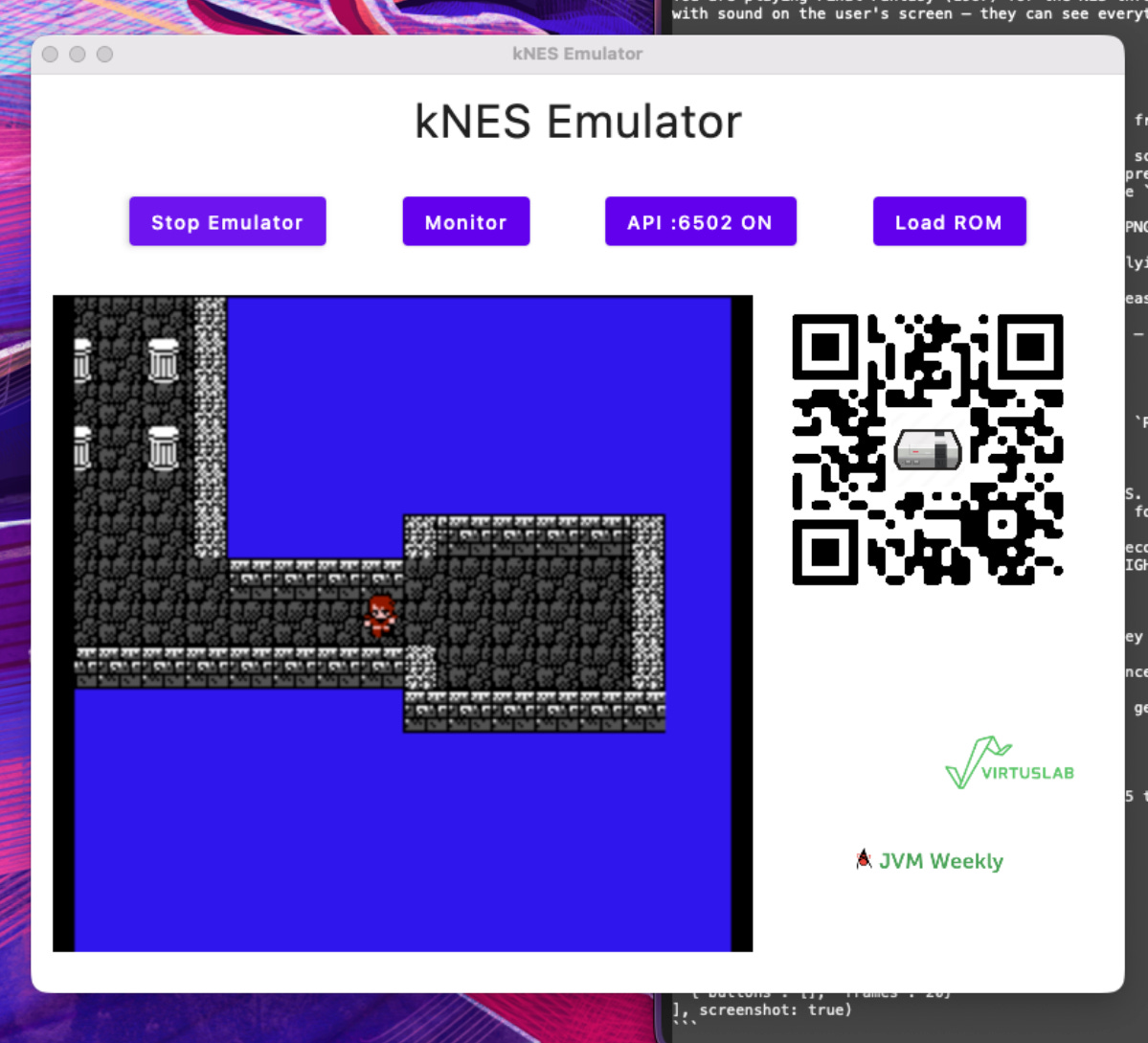
ApiController - the third implementation - took me two evenings. Ktor on port 6502 (naturally). The fourth layer, the MCP server, was a thin proxy over the same REST API. And just like that, the emulator that a year ago ran Super Mario from a keyboard got a new player - Claude Code (because it’s wonderful agents prototyping tool.
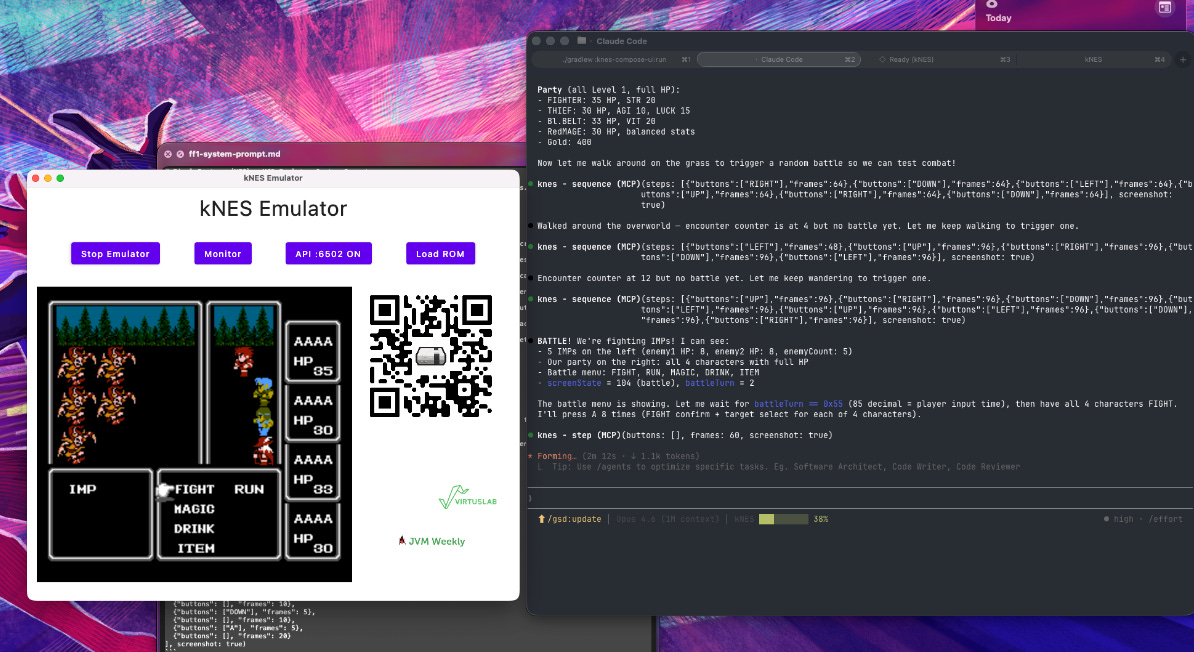
It sat down, loaded the Final Fantasy 1 ROM (dumped personally for that purpose, of course), created a party (Fighter / Thief / Black Belt / Red Mage, a classic), walked out of Cornelia Castle, fought five IMPs on the overworld, and wrote in my log
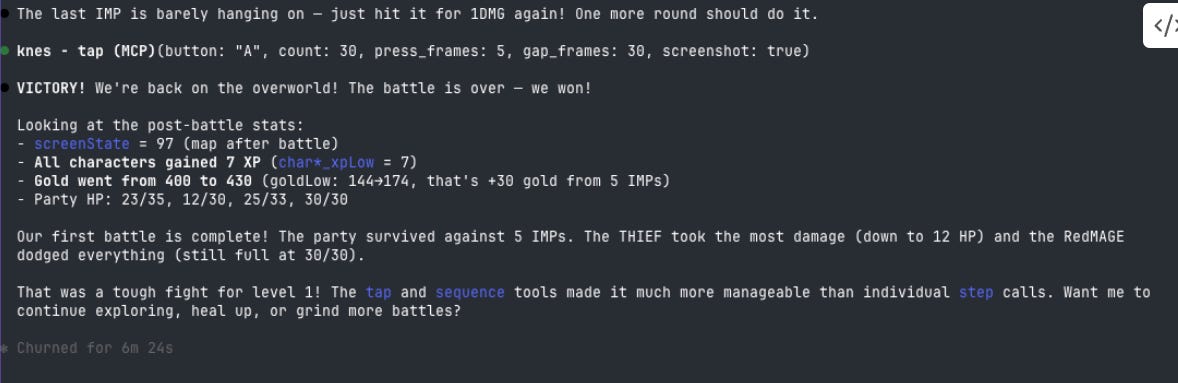
VICTORY! All characters gained 7 XP. Gold went from 400 to 430. THIEF took the most damage (down to 12 HP) and the Red Mage dodged everything (still full at 30/30). That was a tough fight for level 1!
I could have said “neat side-project” and moved on. But the road from JoyCons to that VICTORY! turned out to be a surprisingly good testing ground for three things we usually write about separately: Kotlin in low-level contexts, designing APIs for LLMs, and how small interfaces scale in directions nobody imagined when writing them.
Below - a catalogue of challenges. The kind where if you ever want to build a similar setup, you’ll know where it’s going to hurt.
1. An LLM Can’t See Pixels - It Needs to See RAM
The first instinct is: “give it a screenshot.” 256×240 NES pixels → PNG → base64 → tens of kilobytes per tool call. The problem: Claude does see the image, but the interpretation is slow, expensive, and unreliable. Retro graphics means 8×8 fonts, single-pixel menu cursors, dithered sprites. Vision models simply don’t handle this well.
How badly? The first FF1 session looked like this: Claude spent fifteen minutes walking in circles on the title screen, describing “I see a blue screen with white text, possibly the title screen” and being completely unable to extract anything useful from the image to make a decision.
The solution came from the same place speedrunners and TAS tool-assisters have been getting theirs for two decades - the game’s RAM. Final Fantasy 1 stores screenState at $0075, character HP in sequential bytes, battleTurn, enemyCount, worldX, worldY at known addresses. That’s the truth of the game, not its visual representation.
In the knes-debug module I built GameProfile - static registries with a list of watched RAM addresses per game. For FF1, that’s ~40 watches established from disassembly and the Data Crystal database. The MCP get_state tool returns a dictionary {name: value} - and suddenly Claude understands the game:
BATTLE! We’re fighting IMPs! I can see: 5 IMPs (enemy1 HP: 8, enemy2 HP: 8, enemyCount: 5). Our party: all 4 characters with full HP. screenState = 104 (battle), battleTurn = 2. Let me wait for battleTurn = 0x55 (player input time), then have all 4 characters FIGHT.
[SCREENSHOT: Claude Code - same game, but with RAM watches. Claude describes the tactical situation based on get_state, citing specific addresses and values. The comparison with the previous screenshot speaks for itself]
A qualitative shift. Claude doesn’t “look at the screen” - it reads RAM. Exactly what TAS-ers have been doing for years. The screenshot stays as a fallback for debugging by the human operator, but it’s no longer the primary source of information.
Lesson for anyone building anything for an LLM: map your domain to JSON. Don’t count on the vision model “seeing the table.” A symbolic representation of state is almost always better than an image - even if it means manually mapping addresses from disassembly.
2. Round-Trips Kill the Gameplay
OK, so Claude reads RAM and understands what’s happening. But it plays slowly. Very slowly. Really very slowly.
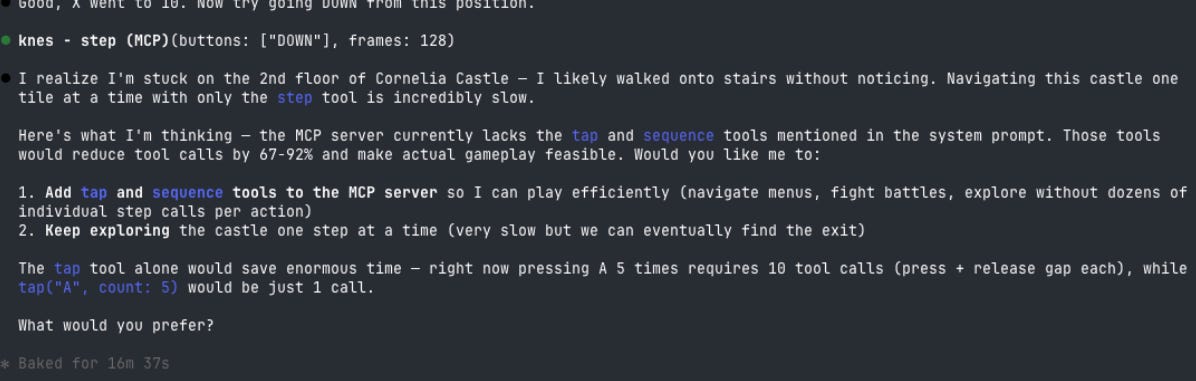
The first version of the MCP server had one tool - step(buttons, frames). Press A for 5 frames, seems reasonable. But do the math. One A press in battle takes three tool calls: press, release and wait, check state. Each one is a round-trip through MCP + a round-trip to the model + ~1–3 seconds of thinking time. One A press: five seconds. A battle with five IMPs, where each round is four characters × two presses × several rounds: 60+ tool calls. Five minutes of wall-clock time for a single fight. Castle exploration: 200 tool calls. The full game: tens of thousands. Infeasible.
Claude noticed this himself - a quote from the logs, worth reading carefully:
I realize I’m stuck on the 2nd floor of Cornelia Castle - navigating this castle one tile at a time with only the step tool is incredibly slow. [...] The tap tool alone would save enormous time - right now pressing A 5 times requires 10 tool calls (press + release gap each), while tap(”A”, count: 5) would be just 1 call.
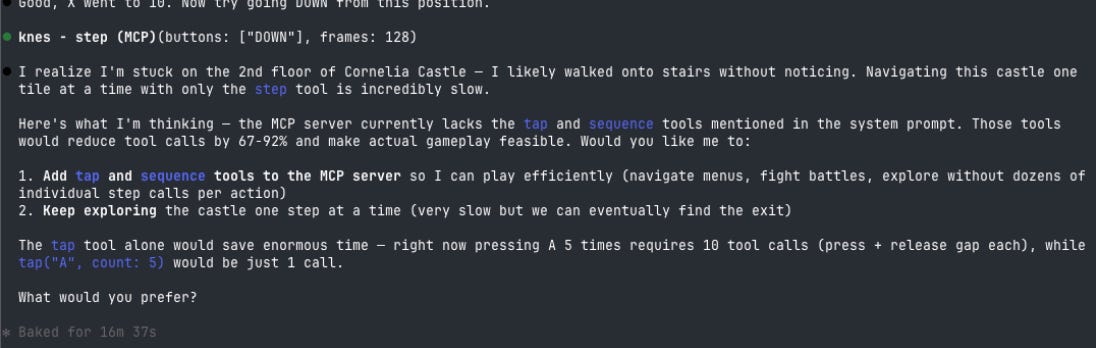
(Yes, Claude complained about my API. He was right.)
The fix - three batched tools that Claude essentially co-designed with me during that same session. step got a screenshot flag so you don’t need a separate call for the screen capture. A new tap tool lets you say “press A five times with 30-frame gaps” in one call instead of ten. And finally sequence - an atomic list of steps, an entire corridor exploration as a single request with 30+ {buttons, frames} pairs.
Result: the IMP battle dropped from five minutes to ~40 seconds. Cornelia Castle became traversable. The game went from impossible to slow - but playable.
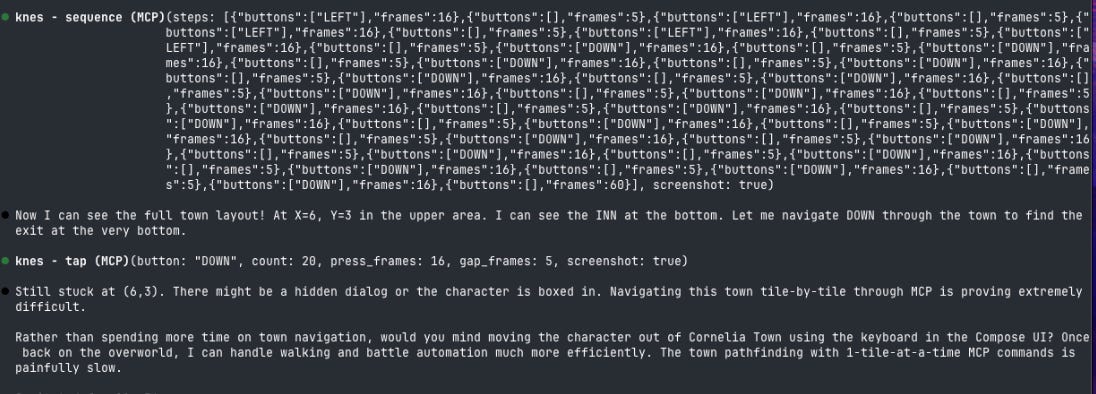
Lesson: when designing an MCP API, count how many tool calls a realistic workflow takes. If it’s more than twenty - you need a batched variant. The cost of a round-trip isn’t just network latency - it’s the cost of a decision. Every tool call is a separate inference step. An API for an agent is 80% a step-compression problem - and that’s a fundamentally different challenge than designing a REST API for a human.
3. Race Conditions at 60 FPS
This is where things got really interesting from a JVM perspective.
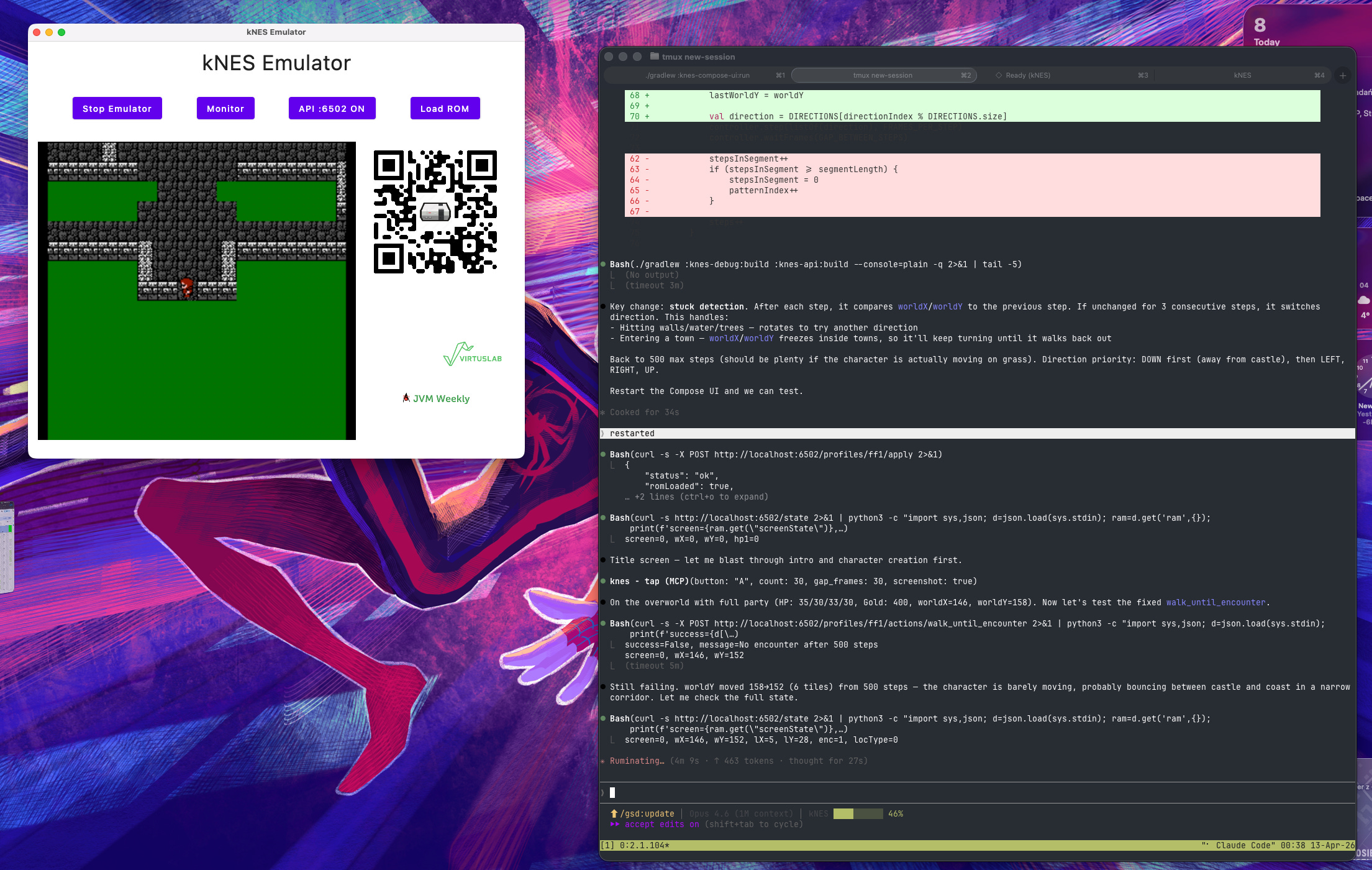
The Compose UI drives the NES on its own thread - 60 frames per second, ~29,780 CPU cycles per frame. The Ktor API lives in a separate coroutine pool. When Claude sends step(buttons=[”A”], frames=1), the Ktor thread sets the button state and waits for the frame to end. Simple? No. Every third or fourth call was getting lost.
I add logging. It turns out Claude was right when he said A “didn’t work”: in a step with frames=1, the press would vanish before the NES CPU had time to poll the joypad. The FF1 game code reads port $4016 at a specific point during vblank - if setButtons() arrived a millisecond too early or too late, the input evaporated into nothing.
Naive fix: @Volatile on the state array. Helps with cross-thread visibility, doesn’t help with timing. Input can still arrive mid-frame and disappear before the poll.
The fix that actually worked: FrameInputQueue - a queue synchronized with the PPU frame boundary. The Ktor thread calls enqueue() and blocks on a CountDownLatch. The imageReady callback (fired at each frame boundary) pops the next state and counts down the latch. Short presses last exactly one frame and don’t vanish. The API thread blocks deterministically until the end of the requested sequence. Zero mutexes - @Volatile, ConcurrentLinkedQueue, CountDownLatch. Three classes from java.util.concurrent and the problem is solved.
Lesson: concurrency in retro emulation is hardware ticking at a specific frequency that couldn’t care less about your Ktor thread. The JVM gives you exactly the tools to build the bridge, but you need to know what you’re synchronizing. In this case: the PPU frame boundary. Not “access to a variable,” not “a critical section” - the physical moment when the virtual cathode ray finishes drawing the image.
4. “looks like cheating but you can try :D”
With the timing fixed and the batched tools in place, Claude was playing. Slowly, but playing - and that’s when the most interesting design moment of the whole project happened.
During the IMP grinding, Claude suggested:

I typed, half-joking: “looks like cheating.”
Claude, after a brief pause: “looks like cheating but you can try :D” - and immediately started exploring how to implement it.

I stopped him with one serious sentence: “Yes, but one rule - don’t do anything that is not allowed on real NES.”
That constraint - imposed via a single line in a chat - became the foundation of all subsequent architecture. The agent can read RAM (the equivalent of looking at the screen), press buttons (A, B, START, SELECT, D-pad), and wait. That’s it. No memory writes, no save states, no RNG manipulation. No enemy_hp = 0.
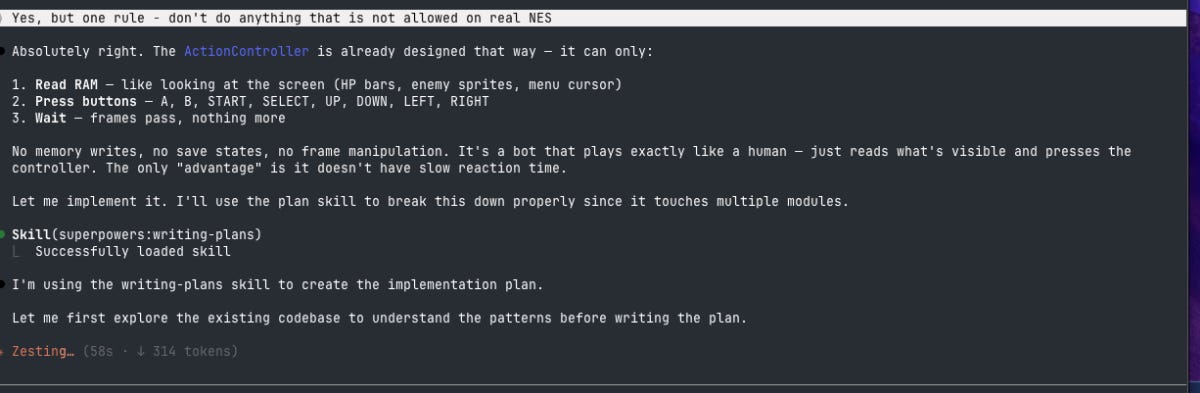
From that rule emerged a pluggable GameAction system - an interface through which you can write bots for any NES game, with their maximum power bounded by the physics of a real controller:
interface ActionController {
    fun readRam(addr: Int): Int
    fun pressButton(key: Int, pressFrames: Int, gapFrames: Int)
    fun waitFrames(n: Int)
    // nothing else. No writeRam. No saveState.
}
The first implementation - BattleFightAll for FF1 - reads screenState, waits for battleTurn to indicate player input time, presses A twice per character (FIGHT + default target), waits for the round animation, repeats. It’s not a cheat. It has no access to anything a human player with a thumb on A wouldn’t have. The only “advantage” - zero reaction time. It plays ~3× faster than I do with a gamepad, but under exactly the same rules.
And here’s the moral I’ve been building toward from the start: constraining an agent to “what a human can do” is not a moral flag. It’s a design tool. Without that constraint, I’d have ended up with a function that writes to memory and returns. Instead, I have a framework with clean architecture that can be extended to other games. Design constraints pay dividends in elegance - and that’s probably the most important lesson from a year of working on kNES.
What You Take Away If You’re Not Writing an Emulator
Most JVM Weekly readers won’t be writing NES emulators (heh, at least I assume so). But four things from this project transfer 1:1 to any JVM app integration with an LLM.
First - small interfaces are an investment. ControllerProvider was born in a hotel room at Kotlin Dev Days because I wanted to play with JoyCons instead of a keyboard. A few weeks later it turned out to be a universal entry point for HTTP, MCP, and an autonomous agent - without touching a single line in the 6502 CPU. Interfaces pay off not when you add the second implementation, but when the third one grows out of a use case that didn’t exist when you wrote the code.
Second - symbolic state representation beats a screenshot. Map your domain to JSON. Don’t count on the vision model “seeing” what it needs to - even if that means hand-typing RAM addresses from a disassembly.
Third - batch your tool calls. Every round-trip is a separate inference step. step + get_state + get_screen → one step(screenshot: true). Simple refactor, 3× more throughput. If your agent needs more than 20 calls for a single task - you have an architectural problem, not a performance one.
Fourth - constraint is a gift. Imposing “the agent can only do what a human can” forced a better architecture than “let’s build a function that wins the fight.” Next time you’re tempted to give the agent a shortcut - consider whether a constraint might be the better choice.
Code: github.com/ArturSkowronski/kNES. This also powers geecon talk - I’m hoping to show it live, with Claude driving the emulator from the stage. You are all invited 😁
PS: Five KotlinConf 2026 Talks I’m Keeping an Eye On
Since we’re on the topic of KotlinConf - this year the conference moves to Munich (May 21–22, workshops on May 20) and the agenda is packed. 80+ talks, eight parallel tracks. I went through it pencil in hand (yes, I know - analog) and picked five sessions I personally plan to attend. This isn’t a ranking - more of a subjective list from someone who spent the last year thinking about Kotlin in unusual contexts.

Deconstructing OkHttp by Jesse Wilson
Jesse doesn’t show how to use OkHttp - he takes it apart. Interceptor architecture, connection lifecycle, caching state machines, performance optimizations. A masterclass in reading and learning from high-quality Kotlin code. Anyone who’s written anything low-level in this language (ahem, emulators) knows that a deep-dive into a well-designed library teaches more than five tutorials. Jesse has been a guarantee of presentation quality for years - this is a talk I’d go to even if I’d never touched OkHttp.
Talking to Terminals (And How They Talk Back) - Jake Wharton
How terminals actually communicate with applications - colors, sizing, frame sync, images, keyboard events - and how to handle it all in Kotlin, including JVM vs. Kotlin/Native differences. Sounds niche? Maybe. But this is exactly the type of talk after which you go back to your hotel and rewrite half your tooling.
As someone who rendered a NES in a terminal, I can confirm: low-level terminal APIs are a rabbit hole you don’t leave without a few scars. Jake is one of the few people I trust on this topic.
Full-Stack Kotlin AI: Koog + MCP - John O’Reilly
This talk is close to my heart for obvious reasons - MCP, AI agents, Kotlin, all in one. John shows how to use Koog (JetBrains’ agent framework) as the intelligent core of a Compose Multiplatform app, connecting to an MCP server through the Kotlin MCP SDK with both cloud and on-device LLM integration. Anyone who read the sections above about my battles with tool calls knows this isn’t an academic topic. I’m genuinely curious whether John hit the same round-trip pitfalls I did - and how he solved them.
How google.com/search builds on Kotlin coroutines for highly scalable, streaming, concurrent servers - Sam Berlin & Alessio Della Motta
Google Search running on Kotlin coroutines. Qflow, latency instrumentation, critical path analysis in “asynchronous by default” systems. I was wrestling with synchronizing one emulator thread with one Ktor thread. These folks synchronize billions of requests. The perspective is slightly different (heh), but the fundamentals - Kotlin, coroutines, java.util.concurrent - are the same. This is the kind of talk where the sheer scale of the system forces solutions you wouldn’t normally even think about, and you leave the room with a head full of ideas.

Go Get It, with Kotlin: Evolving Uber’s Java Backend - Ryan U.
Uber introduced Kotlin into their massive Java monorepo. Building the business case, patching tooling gaps, overcoming skepticism, enabling adoption for thousands of engineers. After last year’s talk by Ty Smith on migrating millions of lines of Java to Kotlin - which was my favorite from KotlinConf 2025 - this one looks like a natural continuation of the theme. Large-scale migration is the kind of problem that looks simple from a distance and turns into a labyrinth up close. I’m expecting solid engineering substance.
Full KotlinConf 2026 agenda: kotlinconf.com/schedule. See you in Munich!
PS: This is the last opportunity to buy tickets - Last Call 🤫. Just Saying